




As a Sage 200 user, you already understand the power of connected data, control, and visibility across your organisation.
Yet for many businesses, invoice processing remains one of the time-consuming and error-prone finance tasks. Hours are lost to manual data entry, resolving discrepancies, and chasing approvals across departments and locations.
By introducing automated invoice processing for Sage 200 with Agilico Verify, you can transform the way your system manages invoices, achieving faster approvals, greater accuracy and full visibility from receipt to payment. The result is a finance function that scales with your organisation’s growth and supports smarter decision-making.
In this guide, we’ll explore the real cost of manual invoice processing, how automated invoice processing enhances Sage 200, the key capabilities and benefits of Agilico Verify, and how our customers are saving time, money and effort through automation.
The Challenge of Manual Invoice Processing
For many organisations using Sage 200, managing invoices across multiple departments, sites, and suppliers quickly becomes a challenge. As invoice volumes grow, the accounts payable function can easily turn into a bottleneck that limits scalability.
A typical manual workflow involves invoices being printed or emailed around the business, approvals chased through emails or in person, data entered manually into Sage 200, and documents stored in shared folders or filing cabinets. While this may have worked for smaller businesses, it becomes unsustainable as both invoice volumes and business complexity rise.
Common challenges include:
- Wasted time: Hours are lost to manual data entry, chasing approvals, and clearing backlogs instead of focusing on strategic finance work.
- Costly errors: Manual input into Sage 200 increases the risk of duplicate invoice processing, mistyped data, payment errors, and mis-coded invoices that impact budgets and reporting accuracy.
- Delays and penalties: Lost or slow-moving invoices can lead to late payments, supplier frustration, and potential financial penalties. This becomes even more of a challenge for remote or hybrid teams.
- Lack of visibility and control: Tracking invoice status or approval becomes difficult, increasing the risk of fraud or unauthorised spend.
- Limited scalability: As invoice volumes increase, finance teams struggle to keep up, and simply adding more staff is neither cost-effective nor sustainable.
This is where automated invoice processing for Sage 200 can deliver real transformation.
Research shows that manually processing a single invoice can take between 8 and 15 minutes and cost £4 to £8 per invoice in staff time.
For a medium-sized business processing 1,000 invoices per month, that equates to over £48,000 a year in hidden costs.
As invoice volumes increase, these costs grow proportionally, making automation one of the most effective ways to reduce operational overheads within finance teams.
As invoice volumes rise, these inefficiencies multiply. Automation eliminates them, saving time, reducing costs, and bringing accuracy, transparency, and confidence to your financial operations. Calfordseaden, a multi-disciplinary property and construction consultancy, recognised the need to modernise their invoice processing after moving to hybrid working:
“We were very paper-based with long-winded processes that were very much out of date…”
Finance Manager, Calfordseaden
By digitising their invoice workflow with Agilico Verify, they eliminated paper dependency, gained visibility and adapted seamlessly to hybrid working.
Why Agilico Verify for Sage 200?
There are many automation solutions available, but Verify is purpose-built to enhance and extend the capabilities of Sage 200. It offers seamless integration, expert UK implementation, and the flexibility to align perfectly with your existing financial processes.
Here’s what sets Verify apart:
- Native Sage 200 integration: Verify connects directly with Sage 200, automatically syncing supplier details, ledgers, and purchase orders to maintain data consistency.
- Rapid deployment: Verify can be live in weeks with minimal disruption to your current finance workflow.
- End-to-end purchase management: Fully compatible with Agilico POP, our purchase order processing solution for a complete purchase-to-pay workflow.
- Secure UK data hosting: Cloud-based, secure, and fully aligned with UK GDPR requirements, ensuring your financial data stays protected and accessible.
- Custom approval routing: Configure tailored approval paths by a variety of dimensions, including department, project, nominal or cost centre, supporting up to three approval levels.
- Dedicated UK support: Installed and supported by Agilico’s UK-based implementation and customer success teams, providing reliable assistance throughout your automation journey.
Together, these capabilities enhance Sage 200 with a fully automated, paper-free accounts payable environment that scales effortlessly with your business.
How Verify Automated Invoice Processing for Sage 200 Works
Verify is a cloud-based automated invoice processing system for Sage 200 that helps finance teams eliminate manual data entry, reduce errors, and gain complete visibility over every invoice. It seamlessly integrates with Sage 200 to capture, match, approve and post invoices automatically, giving you complete control from receipt to payment.
The process starts when an invoice is emailed into the Verify system. Within minutes, Verify intelligently extracts key details, including the header and line information, business entity, supplier, PO number, invoice number, date, and net/VAT/gross values.
For PO invoices, if the document matches an approved purchase order from Sage 200 or Agilico POP, our integrated purchase order processing solution, it can be posted to Sage 200 automatically. If the invoice doesn’t match, it enters a guided matching process to resolve discrepancies before posting.
Non-PO expense invoices follow an exception route. Verify allows coding by a variety of dimensions, including department, cost centre, project, and account codes. These invoices are then automatically routed to the correct approvers for up to 3 levels of approval. Once approved, the data is automatically posted to Sage 200. This flexibility gives you full control over spend allocation and confidence that every invoice is fully approved before payment is made.
All invoice data, including audit trails, notes, and approvals, is securely stored and instantly searchable within Verify, providing a complete, paperless record for reporting and audit readiness. Verify’s customisable reporting tool also delivers real-time insight into approval bottlenecks and cash flow commitments.
For more information about how Verify enhances invoice processing in Sage 200, please download our product sheet:
Read the Full Case Study”Verify has allowed us to massively reduce the time it takes between receiving an invoice to having it processed and recorded on Sage 200. Plus, we have been working on reducing our carbon footprint and using Verify has allowed us to become more environmentally friendly.
Assistant AccountantFoundation of Light
The Benefits of Automating Invoice Processing with Verify
Implementing Verify for Sage 200 isn’t just about saving time; it’s about transforming how your finance team operates and giving your business the flexibility to scale with confidence. Here are some of the key benefits that our customers experience with Agilico Verify:

Save time and eliminate manual effort: By automating repetitive tasks such as data entry, invoice matching, and approval chasing, your finance team can focus on strategy instead of admin. Invoices flow into Sage 200 with minimal human input.

Improve accuracy and data quality: Verify’s intelligent data capture and matching dramatically reduces errors, including duplicate invoices, mistyped data and incorrect coding. The result is more reliable financial information in Sage 200.

Accelerate approvals and payments: Invoices are automatically routed to the right approvers based on your business rules. That means no more lost invoices, fewer delays, and stronger supplier relationships through timely, accurate payments.

Gain complete visibility and control: Every invoice has a full audit trail showing who approved it, when, and why. Real-time dashboards provide visibility across departments and locations, helping you to manage spend and prevent fraud.

Scale effortlessly as your business grows: Whether you’re managing multiple sites, remote teams or increasing invoice volumes, Verify scales seamlessly with Sage 200. Handle greater complexity and growth without increasing headcount or workload.
On average, Agilico Verify customers report measurable results within weeks of deployment:
- 70% faster invoice processing times from receipt to posting
- Up to 90% fewer data entry errors
- 50% fewer supplier queries due to improved visibility
- Savings of two to three days per month in manual finance workload
Read the Full Case Study”Verify has made the business more cost-effective. People know exactly what they’re spending, how much they’re spending and how much the things they’re buying cost. They’ve got more ownership and they’re a bit more accountable now.
Joint Managing DirectorInturf
Ready to Take Control of Your Invoice Processing?
Automating accounts payable with Verify not only enhances Sage 200 – it transforms how your finance team works.
Say goodbye to manual invoice processing and hello to efficiency, accuracy, and confidence.
Watch our demo video to see Verify in action, or book a personalised demo with one of our Sage 200 automation experts today.
Building a Business Case for
Accounts Payable Automation
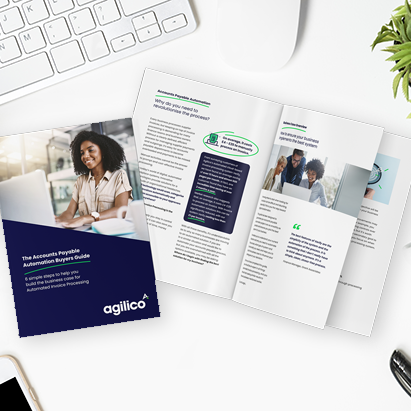
Need help with building the business case for automating invoice processing for Sage 200? We have put together a free guide Accounts Payable Automation Buyer’s Guide: 6 Simple Steps to Help You Build the Business Case for Automated Invoice Processing.
This guide will equip you with the tools and insights you’ll need to build a persuasive business case. And we’ve created a free Sample Business Case with detailed examples of the sections your business case should include. It outlines essential steps to follow for implementing AP automation in your organisation. You will learn how to assess your current situation, define your goals, identify necessary system features and functionalities, and understand what to look for when researching solutions.
Once you complete these steps, you’ll have the information you need to create a business case that resonates with stakeholders and drives your organisation toward a more efficient future.