





As a growing business using QuickBooks, you already understand the importance of choosing finance solutions that can scale as your operations expand.
With growth comes increased bill processing complexity. More locations, higher volumes, multi-line bills, purchase order matching, and multi-level approvals all increase demands on your accounts payable process. At this stage, many businesses find that the native invoice processing features within QuickBooks benefit from additional automation and control.
Invoice processing automation for QuickBooks with Agilico Verify enhances the way you manage supplier bills. Using intelligent data capture, purchase order matching, and configurable approval workflows with up to three approvers, Agilico Verify helps ensure your financial processes scale smoothly alongside your business.
In this guide, we’ll explore the real cost of manual bill processing and how automation strengthens your existing QuickBooks functionality. We’ll also outline the key features and benefits of Agilico Verify and how our customers are gaining greater efficiency and control through smarter invoice workflows.
The Challenge of Manual Invoice Processing
QuickBooks is the ideal finance system for SMEs with high growth ambitions, providing flexible features that scale with your business. However, as your accounts payable process becomes more complex, QuickBooks can struggle to keep up. Handling multi-line supplier bills, managing documents across multiple locations and cost centres, more approvers in the workflow, and beginning to incorporate purchase orders can all challenge QuickBooks’ existing capabilities.
Supplier bill processing in QuickBooks typically begins with a user either manually entering the bill details directly into QuickBooks or emailing the document to QuickBooks for limited OCR data capture, which may have a modest success rate. If the bill is related to a purchase order, and there has already been a PO generated in the system, the user can convert it to a bill once the bill arrives, or the user can link the bill to an existing PO. The user will then have to visually check both the bill and the PO to ensure a match.
For bills not related to a PO, the bill must be manually coded within QuickBooks, and, depending on the version of QuickBooks, will need to be approved via email or verbally, or go through a basic approval workflow. Once approved, bills appear in the Bills list ready for payment, with each bill stored within QuickBooks along with a limited audit history.
Without add-ons, invoice processing in QuickBooks is largely manual and user dependent. Common challenges include:
- Time-consuming manual tasks: Entering bill data, visually checking PO and bill documents, and circulating bills for approval takes significant time, especially as volumes grow.
- Higher risk of errors: Limited OCR capture, and the manual coding and distribution of bills for approval can result in incorrect amounts, misapplied coding, and approvals by the wrong employees.
- Slower approval cycles: More approvers across departments and approvals outside of QuickBooks can lead to bottlenecks, delays, late payments, and missed early payment opportunities.
- Inaccurate data capture: OCR capture often fails for non-standard bill formats, requiring manual correction, and it can only capture limited data.
- Lack of visibility: Tracking a bill’s progress in the approval chain is challenging, increasing the risk of fraud or unauthorised spend.
- Limited scalability: As complexity and volumes rise, manual processes become harder to manage, and adding headcount is often not a sustainable solution.
This is where automated invoice processing for QuickBooks can transform your operations.
Research shows that manually processing a single invoice can take between 8 and 15 minutes and cost £4 to £8 per invoice in staff time.
For a medium-sized business processing 500 invoices per month, that equates to over £24,000 a year in hidden costs.
As invoice volumes increase, these costs grow proportionally, making automation one of the most effective ways to reduce operational overheads within finance teams.
As bill volumes increase and transactions become more complex, manual accounts payable processes quickly become a bottleneck. Automated invoice processing helps to remove these pressures, improving efficiency, accuracy, and visibility. Lendology, a not-for-profit financial services provider, described the challenges they faced with bill approval:
“One of our biggest challenges was trying to evidence that an invoice had been properly approved. Some of the approvals ended up happening informally, and people were signing invoices off that would be missed, so we’d do an audit catch-up where we had to retrospectively catch the approvals.”
Commercial and Finance Director, Lendology
By automating their accounts payable function with Agilico Verify, Lendology improved financial controls, reduced their reliance on paper and saved significant time processing bills.
Why Agilico Verify for QuickBooks?
Agilico Verify is designed to enhance your existing QuickBooks setup by adding the automation, control and governance growing organisations need, without disrupting the way you work.

Here’s what sets Verify apart:
- Native QuickBooks integration: Verify connects directly with QuickBooks, syncing suppliers, bills, POs, and coding to keep financial data accurate and consistent.
- Rapid deployment: Verify can be live in weeks with minimal disruption to your existing finance workflow.
- End-to-end purchase management: Fully compatible with Agilico POP, our purchase order processing solution, enabling a complete purchase-to-pay workflow.
- Stronger approval controls: Build tailored approval routes using departments, projects, cost centres, and more, with support for multi-level workflows, multi-entity processing, and full audit visibility.
- Improved financial governance: Gain a full audit history across every bill for greater accuracy and oversight.
- Line-item capture and PO matching: Automatically extract invoice lines and match invoices to purchase orders for tighter accuracy and oversight.
- Secure data hosting: Cloud-based, secure, and fully aligned with GDPR requirements to protect your financial data.
- Dedicated UK support: Implemented and supported by Agilico’s UK-based customer success teams, providing expert guidance and ongoing support.
Together, these features extend QuickBooks with a fully automated accounts payable solution, improving accuracy, visibility and the scalability your finance function needs to grow with confidence.
How Verify Automated Invoice Processing for QuickBooks Works
Verify is a cloud-based, automated invoice processing solution for QuickBooks, designed to help growing businesses manage increasing bill volumes and complexity with ease.
The process begins when a bill is emailed into the Verify system. Within minutes, Verify intelligently extracts key details, including header and line information, business entity, supplier, PO number, invoice number, date, and net/VAT/gross values.
For purchase order bills, Verify automatically matches the bill to an approved PO generated from QuickBooks or Agilico POP, our integrated purchase order processing solution. If discrepancies are identified, the bill enters a guided matching and exception process to resolve variances before posting.
Non-PO expense bills, as well as any bills flagged as exceptions, follow an invoice processing workflow. Verify allows coding across multiple dimensions, including class, location, project, and other accounting structures your business uses in QuickBooks. Bills are then automatically routed through configurable approval routes, with support for up to 3 levels of approval. Once fully approved, the data is posted directly to QuickBooks, ensuring every bill is accurate and authorised before payment.
All bill data, including audit trails, approval history, and notes, is securely stored and instantly searchable within Verify, providing a complete, paperless record for reporting and audit readiness. Verify’s customisable reporting tool also delivers real-time insight into approval bottlenecks, cash flow commitments, and overall spend.
For more information about how Verify enhances invoice processing in QuickBooks, please download our product sheet:
Read the Full Case Study”We are now much happier thanks to Verify. We no longer have to spend our evenings and weekends manually processing invoices, and the accounts payable process is so much quicker and easier.
OwnerW. Liddy & Co Limited T/A McDonalds
The Benefits of Automating Invoice Processing with Verify
Implementing Verify for QuickBooks isn’t just about processing bills faster; it’s about handling more complex bills with the same finance team as your business scales. Here are some of the key benefits our customers have experienced:

Save time and eliminate manual effort:
Verify automates repetitive tasks such as data entry, PO matching and bill approvals, freeing up finance teams to focus on higher-value work. Invoices flow into QuickBooks with minimal human input.

Improve accuracy and data quality:
Verify’s intelligent data capture and matching dramatically reduces errors, including duplicate invoices, mistyped data and incorrect coding. The result is more reliable financial information in QuickBooks.

Accelerate approvals and payments:
Bills are automatically routed to the right approvers based on business rules. Multi-level approval workflows reduce delays, ensure timely payments, & strengthen supplier relationships.

Gain complete visibility and control:
Every bill includes a full audit trail showing who approved it, when, and why. Real-time dashboards give oversight across departments and locations, helping businesses manage spend.

Scale confidently as your business grows:
Whether handling higher volumes, multiple locations, or hybrid teams, Verify scales seamlessly with QuickBooks, letting you manage greater complexity without increasing headcount or workload.
On average, Agilico Verify customers report measurable results within weeks of deployment:
- 70% faster invoice processing times from receipt to posting
- Up to 90% fewer data entry errors
- 50% fewer supplier queries due to improved visibility
- Savings of two to three days per month in manual finance workload
Read the Full Case Study”Verify saves me a great deal of time and enables our finance team to operate at a greater tempo, which is key with how time-sensitive our industry can be. Not sure what we would do without it now.
Chief Finance & Operating OfficerCitizen Watch
Ready to Take Control of Your Invoice Processing?
Automating accounts payable with Verify not only enhances QuickBooks – it transforms how your finance team works.
Say goodbye to manual invoice processing and hello to greater control, improved accuracy, and efficient, transparent workflows that scale with your business.
Watch our demo video to see Verify in action, or book a personalised demo with one of our QuickBooks automation experts today.
Building a Business Case for
Accounts Payable Automation
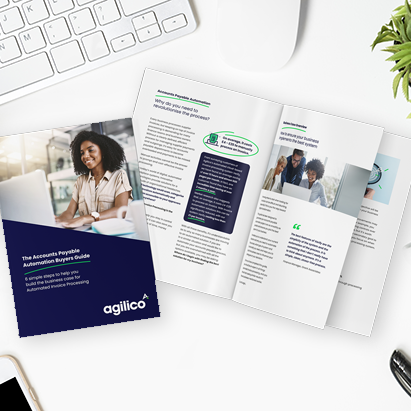
Need help with building the business case for automating invoice processing for QuickBooks? We have put together a free guide Accounts Payable Automation Buyer’s Guide: 6 Simple Steps to Help You Build the Business Case for Automated Invoice Processing.
This guide will equip you with the tools and insights you’ll need to build a persuasive business case. And we’ve created a free Sample Business Case with detailed examples of the sections your business case should include. It outlines essential steps to follow for implementing AP automation in your organisation. You will learn how to assess your current situation, define your goals, identify necessary system features and functionalities, and understand what to look for when researching solutions.
Once you complete these steps, you’ll have the information you need to create a business case that resonates with stakeholders and drives your organisation toward a more efficient future.