




If you use Sage 50 to manage your accounts, you already value efficiency and control.
Yet for many businesses, invoice processing remains the most time-consuming part of finance. Every week, hours are lost to rekeying data, chasing approvals and correcting errors. The result is slower reporting, delayed payments and mounting pressure on busy finance teams.
By introducing automation through Agilico Verify, your Sage 50 system can handle invoices faster, more accurately and with complete visibility from receipt to payment. The result is a finance function that scales smoothly as your business grows.
In this article, we’ll explore the real cost of manual invoice processing, how automation enhances Sage 50, the key features and benefits of Agilico Verify, and examples of how our customers are already saving time and money.
The Challenge of Manual Invoice Processing
Manual invoice processing might be manageable for small businesses handling fewer than 50 invoices per month, but once you start scaling, adding departments, and expanding your supplier base, that same process quickly becomes a bottleneck for further growth.
A typical manual workflow involves printing or emailing invoices around the company, time spent chasing up approvals, manual data entry into Sage 50, and storing documents in either filing cabinets or in unsecured cloud folders. While this might work at a low volume, the cracks begin to show as invoice volumes rise. Businesses often find themselves dealing with a growing list of issues:
- Wasted time: Hours are lost to manual data entry, following up on approvals, and managing invoice backlogs – time that could be better spent on strategic finance tasks.
- Costly errors: Mistyped invoice data and duplicate entries into Sage 50 can lead to incorrect or duplicate payments. Invoices can also be mis-coded, causing budget discrepancies.
- Delays and penalties: Missing or delayed invoices are harder to track, leading to late payments, supplier frustration, and financial penalties.
- Lack of visibility and control: It becomes difficult to see where an invoice is in the approval chain, who exactly signed off on it, or whether it has even been seen, increasing the risk of fraud or unauthorised payments.
- Limited scalability: Your accounts payable team simply can’t keep up as invoice volumes grow, and adding headcount just to maintain the process becomes unsustainable.
This is where automated invoice processing for Sage 50 can make a game-changing difference.
Research shows that manually processing a single invoice can take between 8 and 15 minutes and cost £4 to £8 per invoice in staff time.
For a company processing 500 invoices per month, that equates to over £24,000 a year in hidden costs.
As invoice volumes increase, these costs grow proportionally, making automation one of the most effective ways to reduce operational overheads within finance teams.
It doesn’t just save time and money, it brings accuracy, visibility, and confidence to your financial operations. Top Banana, a creative agency that scaled rapidly and saw the risks of relying on paper-based processes, explained why they decided to automate invoice processing using Agilico Verify:
“We recognised that with our significant growth, we would soon outgrow our paper system. There was a genuine concern that the paper format of invoice processing could become unmanageable.”
Finance Manager, Top Banana
By automating their invoice workflow, Top Banana was able to support continued growth without adding pressure to their existing finance team – a move that many Sage 50 users are now making.
Why Agilico Verify for Sage 50?
There are many automation tools available but Verify is built specifically to enhance Sage 50. It provides seamless integration, UK-based implementation expertise, and the flexibility to adapt to your existing processes.
Here’s what sets it apart:
- Native Sage 50 integration: Data posts directly into Sage 50, keeping your ledgers, suppliers and purchase orders synchronised.
- Fast deployment: Verify can be live in weeks with minimal disruption to your current finance workflow.
- Purchase Order Processing (POP) integration: Works perfectly with Agilico POP for a complete purchase-to-pay process.
- Secure data hosting: Cloud-based and compliant with GDPR, ensuring your data is always protected.
- Customisable approval routing: Automatically routes invoices by department, project, cost centre, and more, with up to three levels of approval.
- Local support: Delivered by Agilico’s UK implementation and customer success teams, providing reliable assistance throughout your automation journey.
Together, these features transform Sage 50 into a fully automated, paper-free accounts payable environment that scales confidently with your business.
How Verify Automated Invoice Processing for Sage 50 Works
Verify is a cloud-based automated invoice processing system for Sage 50 that helps make invoice processing easy. It streamlines the workflow by automatically capturing and matching invoices to POs, routing any exceptions for customisable approval, and ensuring that only approved, accurate data is posted to Sage 50, ready for payment. With complete visibility and flexible reporting, Verify helps businesses to prevent fraud and stay in control every step of the way.
The process begins when an invoice is emailed to the Verify system. Within minutes, Verify intelligently extracts key header and line information, including the supplier details, PO numbers, invoice number, date, net/VAT/gross amounts, and more. Verify also enables multi-entity processing by automatically identifying the entity the invoice relates to, ensuring you have the required control and accuracy needed when running multiple business entities.
If it’s a purchase invoice and the invoice value aligns with the received items, it can be automatically posted to Sage 50 without any user intervention. The PO can originate either from Sage 50 itself or from Agilico POP, our integrated Purchase Order Processing solution. If the invoice doesn’t match a corresponding PO, it enters a matching process to resolve discrepancies before posting to Sage 50.
Expense invoices that aren’t related to a PO or any discrepancies with a PO invoice then follow an exception route. Here, invoice lines can be coded by department, project, cost centre, and more based on your Sage 50 setup, and automatically routed to the correct people through customisable workflows for approval, before being automatically posted to Sage 50.
All invoice data, including audit trails, notes, and approvals, remains accessible in Verify for future reference. In addition, Verify includes a customisable reporting tool, enabling users to generate tailored reports on a wide range of metrics at any time during the invoice processing lifecycle.
For more specific details on how Verify works, please download our product sheet:
Read the Full Case Study”Verify has helped our team immensely. During our busy festival time, where a large number of payments are being made daily, Verify streamlines the process across all the team members involved – you know exactly where you’re at!
Head of Communications & DevelopmentNorfolk & Norwich Festival
The Benefits of Automating Invoice Processing with Verify
Implementing Verify automated invoice processing isn’t just about saving time, it’s about transforming the way your finance team operates and enabling your business to scale confidently. Here are some of the key benefits you can expect:

Save time and reduce manual work: By eliminating repetitive tasks like data entry, invoice chasing, and manual approval routing, your finance team can focus on higher-value activities. Invoices flow seamlessly from the inbox to Sage 50.

Improve accuracy and eliminate costly errors: Automated data capture and intelligent matching drastically reduce the risk of errors, which means fewer disputes, fewer duplicate payments, and better financial data overall.

Faster approvals and on-time payments: Verify automatically routes invoices to the correct people for approval through customisable workflows, resulting in improved supplier relationships and no more lost invoices or bottlenecks.

Full visibility and audit trail: Every invoice has a clear, searchable history – who approved it, when, and why. With full visibility, you can quickly answer queries, ensure compliance, reduce the risk of fraud, and gain greater financial control.

Scalable for growth: As your business grows, Verify does too. This allows you to handle more suppliers, more departments, more entities, and more complexity without needing to add headcount. Verify makes work easy for your finance team.
On average, Agilico Verify customers report measurable results within weeks of deployment:
- 70% faster invoice processing times from receipt to posting
- Up to 90% fewer data entry errors
- 50% fewer supplier queries due to improved visibility
- Savings of two to three days per month in manual finance workload
Read the Full Case Study”We are now much happier thanks to Verify. We no longer have to spend our evenings and weekends manually processing invoices, and the accounts payable process is so much quicker and easier.
OwnerW. Liddy & Co Limited T/A McDonald's
Ready to Take Control of Your Invoice Processing?
Automating your accounts payable process with Verify not only enhances Sage 50 – it helps future-proof your financial operations.
Whether you’re handling a handful of invoices or hundreds each month, it’s time to say goodbye to manual processing and hello to efficiency, accuracy, and confidence.
Watch the demo video to see Verify in action, or book a personalised, in-depth demo with one of our experts.
Building a Business Case for
Accounts Payable Automation
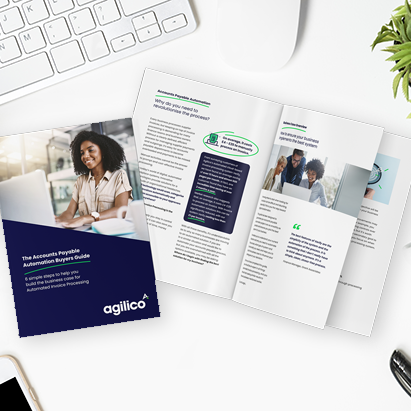
Need help with building the business case for automating invoice processing for Sage 50? We have put together a free guide Accounts Payable Automation Buyer’s Guide: 6 Simple Steps to Help You Build the Business Case for Automated Invoice Processing.
This guide will equip you with the tools and insights you’ll need to build a persuasive business case. And we’ve created a free Sample Business Case with detailed examples of the sections your business case should include. It outlines essential steps to follow for implementing AP automation in your organisation. You will learn how to assess your current situation, define your goals, identify necessary system features and functionalities, and understand what to look for when researching solutions.
Once you complete these steps, you’ll have the information you need to create a business case that resonates with stakeholders and drives your organisation toward a more efficient future.